Your wedding guest list, with online RSVPs
Skip the spreadsheets and the round of phone calls. Send each group their link, let guests RSVP from their phones, and see who's coming, who's joining them, and what they'll eat.
The RSVPs come to you
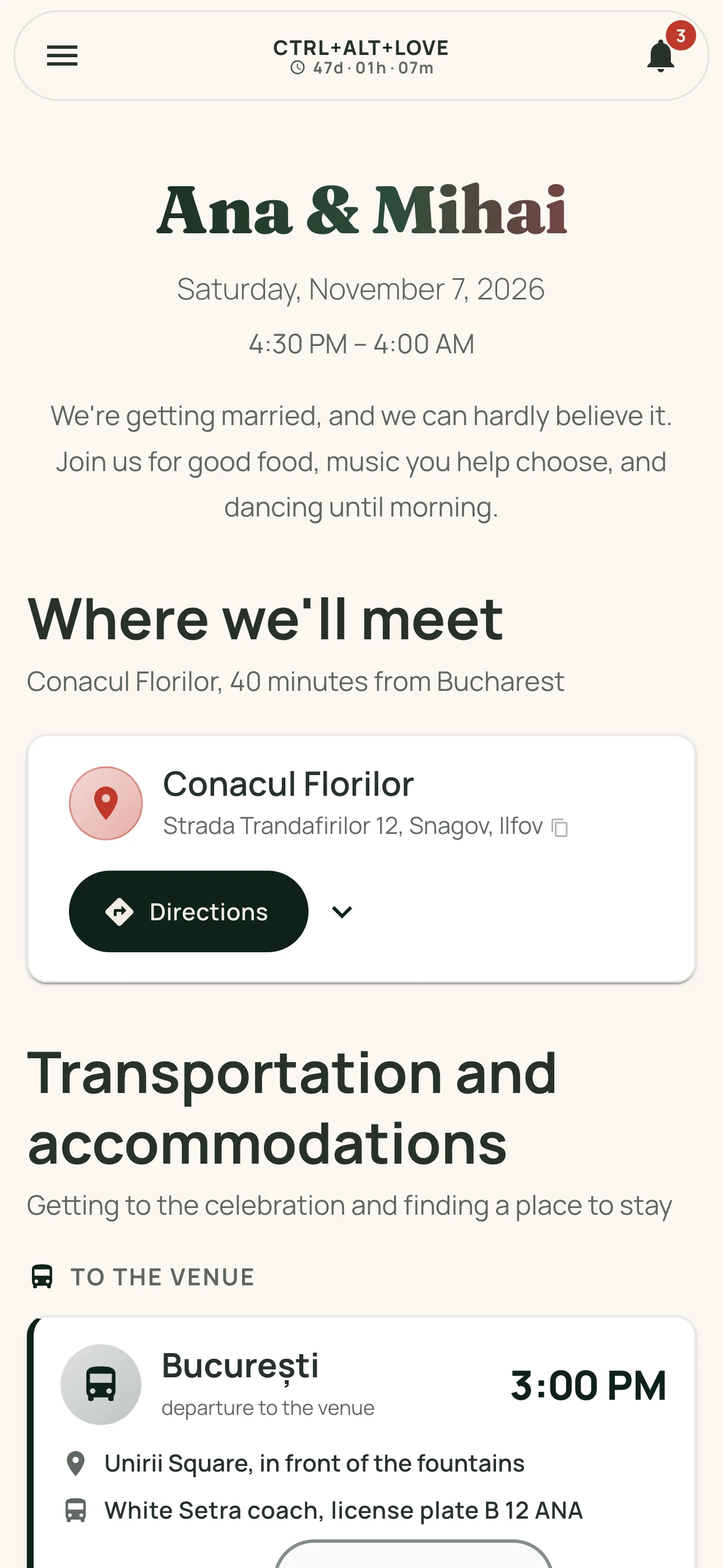
Your invitation is a web page you can share on WhatsApp or anywhere else. Guests open it in their browser, see the schedule, venue, and menu, then RSVP in seconds. Signing in takes just a code sent by email. No password needed.
Every response appears in your dashboard: confirmed, pending, or unable to attend. Guests who haven't replied stay easy to spot, so you know exactly who to follow up with.
Every guest, with the details that matter
- Additional guests: each guest can add up to 3 people by name.
- Meal preferences: vegetarian, vegan, gluten-free, and other dietary needs for each person.
- Transportation and accommodations: guests can tell you what they need when they RSVP.
- Up-to-date totals: how many people are coming, how many have confirmed, and which dietary needs to share with your venue.
On the day: guest check-in
Welcome guests with a check-in list made for a busy entrance: quick search and one tap per guest. You can always see how many confirmed guests have arrived.
How it works
- Create your event and personalize your wedding page.
- Share your invitation link on WhatsApp.
- Guests RSVP and add the people joining them, right from their phones.
- Follow the responses and move straight to your seating chart.
Frequently asked questions
Do guests need to install an app?
No. They open the invitation and RSVP in their browser, with an account that takes seconds to create. No password needed.
Can we add guests manually?
Yes. Add them from your planning dashboard, including their additional guests and meal preferences. They can sign in to their account later.
Can guests change their response?
Yes. They can update their RSVP from their profile until you decide to close responses.
What about guests who don't reply?
They stay marked as pending, giving you a clear list of people to follow up with.