Your wedding budget, with every payment accounted for
The venue deposit you paid six months ago. The photographer's balance due a week before. The band on the night. Record each payment once, check it off when it's paid, and always know what's left.
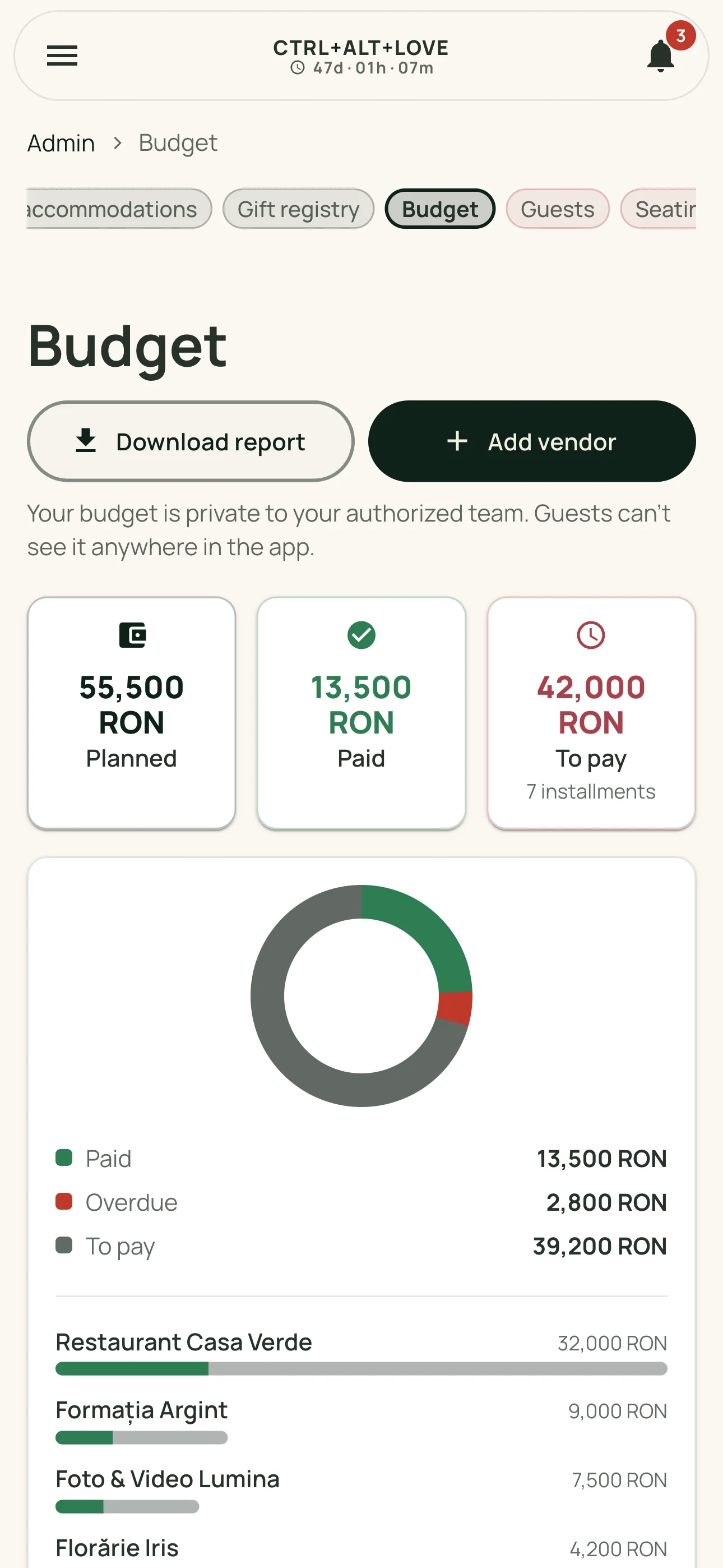
Every vendor and their payments
Your venue, photographer, band, and florist each get a card with the payment method, contact person, and your notes. Underneath, add payments exactly as agreed: a deposit at signing, an installment before the wedding, and the balance on the night.
If your contract has an agreed total, add it too. The app shows how much of that total you've already allocated to installments.
Keep due dates in sight
Give each payment a due date and receive a reminder in the app and by email. If you've enabled push notifications on a compatible device, you can receive it on your phone too. Choose how many days ahead to be reminded, or turn reminders off when someone else is handling the payment.
If a due date passes and the payment hasn't been checked off, the installment turns red and we'll remind you once more. Just once. We know you have a wedding to plan.
What's paid and what's left
- Three totals always in view: planned, paid, and remaining.
- A bar for each vendor shows where your budget is going.
- Filter by unpaid, overdue, or paid, and search by vendor.
- Export a CSV of every payment if you also keep track in Excel or Google Sheets.
Your budget stays private
The budget is your private part of the app. Guests never see it, and the DJ or wedding planner you've given admin access to can't see it either. Your numbers stay with you.
How it works
- Add your vendors and the price agreed with each.
- Break each price into real payments: deposit, installments, and balance.
- Set due dates and let the app remind you before each one.
- Check off completed payments and see what's still to come.
Frequently asked questions
Is this a wedding budget calculator?
Not quite. We don't estimate what your wedding should cost. You track the real amounts you've agreed with your vendors: the total, what's paid, and what's left.
Can guests see our budget?
No. The budget doesn't appear anywhere in the guest app. Collaborators with admin access, such as your DJ or wedding planner, can't see it either. It's private to you.
Can we record payments we've already made?
Yes. Add a payment and mark it paid right away. That's helpful if you're starting your budget after paying the venue deposit.
What reminders will we receive?
A reminder in the app and by email a few days before the due date. You can also receive it on your phone if you've enabled notifications on a compatible device. Choose how far ahead to be reminded. If the payment stays unchecked after its due date, you'll get one more message.