Guests suggest. You or your MC choose.
A song for the friends at the back table. Another for your parents. Every request goes into one list with a title, artist, and votes. You or your MC decide what makes the queue and in what order.
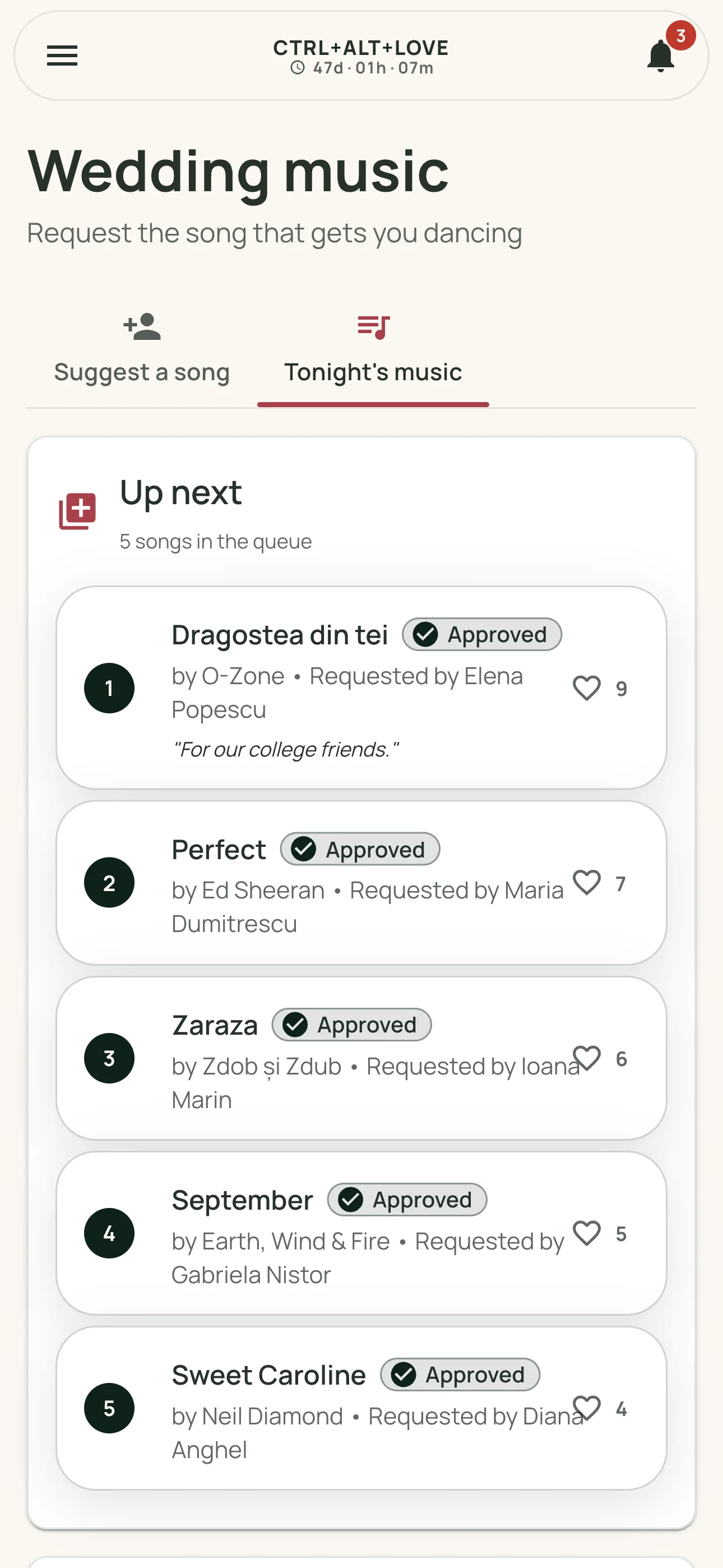
From their phones to your suggestions list
Guests sign in through the wedding link and enter the song title and artist. They can add a note if there's a story behind the request or a special moment it's meant for.
A suggestion stays pending until you approve it. Guests can follow their own requests without asking whether you've received them.
Votes show what your guests want to hear
A heart next to a song is a vote. Guests can support suggestions and approved songs, and you can see what catches their attention. Visitors who've opened the invitation can vote even without signing in.
Votes help you choose. They don't automatically approve requests or change the queue order.
Give your DJ access with the MC role
Invite your DJ with your event's MC role. From the music dashboard, they can review requests, approve or decline them, arrange the queue, and mark songs as played. You have the same controls.
Your wedding budget stays in your private part of the app. The MC role doesn't grant access to vendor amounts or payments.
A playlist of ideas for the evening
Collect suggestions before the wedding and keep receiving them during the celebration. The list keeps requests organized; choosing the right moment remains up to the person playing the music.
The app doesn't play music or connect to Spotify. It's where guests and your DJ meet for song requests, alongside your wedding schedule and gallery.
From a suggestion to the next song
- A guest signs in and suggests a title and artist.
- Others can vote for it from their phones.
- You or your MC approve the request and choose its place in the queue.
- After the song plays, mark it as played.
Frequently asked questions
Will every requested song be played?
No. Requests need approval, and you or your MC decide what fits your wedding. Votes show guests' preferences without guaranteeing a song will be played.
Do our guests need to install anything?
No. Music is part of your wedding page in the browser. Suggesting a song requires an account with an emailed sign-in code. Voting doesn't require signing in.
Can we manage the list without giving our DJ access?
Yes. As organizers, you can approve, decline, and order requests, and mark songs as played. Separate MC access is optional. The Coordinator role doesn't include music management.
Is there a separate charge for song requests?
No. Music is part of your wedding app, alongside guests, tables, the schedule, and gallery. The current event price is on the homepage.