A digital invitation with room for your whole wedding.
It starts as an invitation. As the day gets closer, the same link helps guests RSVP, find the schedule, and plan their trip. On the night, they come back for their table, song requests, and photos.
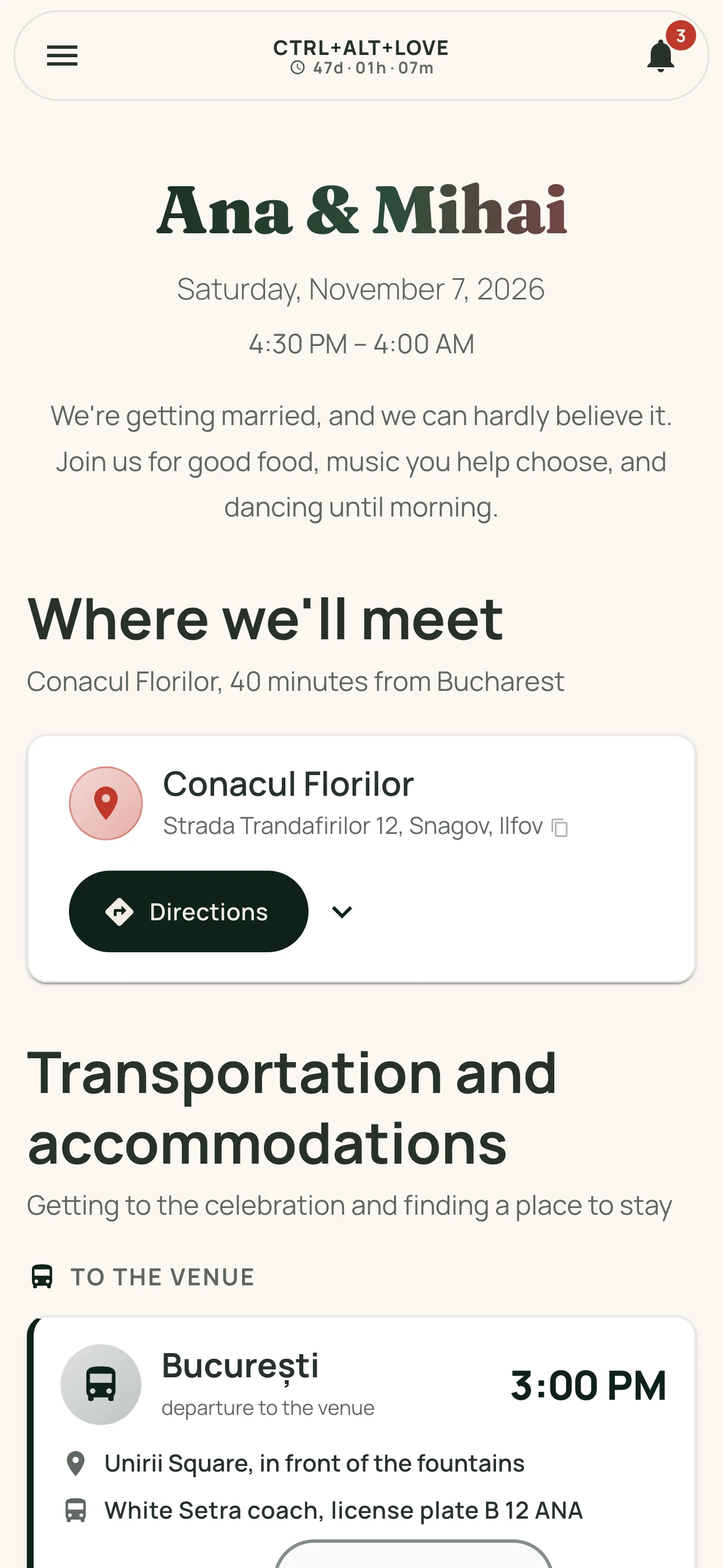
A wedding website that feels like you
Choose a theme or start with the colors and styles you love. Preview your options before publishing, then personalize the text and section order. Your chosen look stays with guests whenever they return to the app.
The names, date, venue, and schedule are yours. Add details as you decide them and update them even after you've sent the invitation.
What guests see. What you keep track of.
The link opens in a browser on a phone or computer. The venue, schedule, and menu are public. To RSVP, guests sign in with an emailed code, without a password, then add the people joining them and their meal preferences.
Responses go straight to your guest list, ready for the seating chart. If someone prefers to RSVP by phone, add them to the same list yourself.
For guests coming from farther away
If you're arranging transportation or accommodations, add routes, departure times, and places to stay to your wedding page. Guests can see the details and, after registering, reserve the spaces you've made available. Arrangements with the transportation and accommodation providers remain yours to manage.
If something changes, send an announcement in the app. Guests who've enabled notifications on a compatible device can receive it on their phones too.
A link that stays useful after the RSVP
- On the wedding day, guests can see their assigned table and seat in their account.
- They can suggest songs, vote, and upload photos or videos to the shared gallery.
- Add a gift registry and guests can reserve a gift so others know it's taken.
- You can also add a link for monetary gifts. Payments happen through the external service you choose.
- After the wedding, the gallery stays available for 3 months so you can download your memories.
From your first details to a shared invitation
- Create your event and add your names, date, and venue.
- Choose the look, personalize the text, and preview your page before publishing.
- Publish your event and share the invitation link on WhatsApp or wherever you prefer.
- Follow RSVPs and add the schedule, seating, and other details as your plans come together.
Frequently asked questions
Can we still use printed invitations?
Yes. Printed invitations and your online page work beautifully together. Every invitation link has a QR code in your dashboard that opens the same wedding page.
Do guests need an account to see the invitation?
Not for public details such as the venue, schedule, and menu. To RSVP, view the gallery, request songs, or reserve a gift, they sign in with an emailed code. They don't need to install an app.
Will our wedding page appear on Google?
Wedding pages are excluded from the sitemap and marked not to be indexed by search engines. Anyone with the link can read the public details, including people it's forwarded to. The gallery and guests' personal details require separate account access.
Is the invitation a separate purchase?
No. The invitation, planning dashboard, and guest experience are all part of the same app, with one payment for your wedding. The current price is on the homepage.